
Example



IMAP & SMTP integration with Teamo AI: Your existing mailbox. With Teamo AI.
Read messages and prepare replies with Teamo AI over an IMAP/SMTP connection using a supported, reachable email account.
- Read mailboxes, folders and messages
- Create and revise drafts
- Send drafts and move messages
How Teamo AI helps in your daily work
Example requests. Results depend on the data and permissions available to you.

Example
Draft replies to customer questions
How to connect IMAP & SMTP
E-Mail · IMAP/SMTP · Built-in account setup
Enable the integration
An admin enables the integration for your team in Teamo AI.
Select E-Mail · IMAP/SMTP
Open your integrations in Teamo AI and choose E-Mail · IMAP/SMTP.
Finish setup
Follow the setup dialog for your account or device and check the connection.
Requirements and limitations
The mail server must be reachable through the supported connection method. Setup, authentication and sending depend on your provider and IT policies.
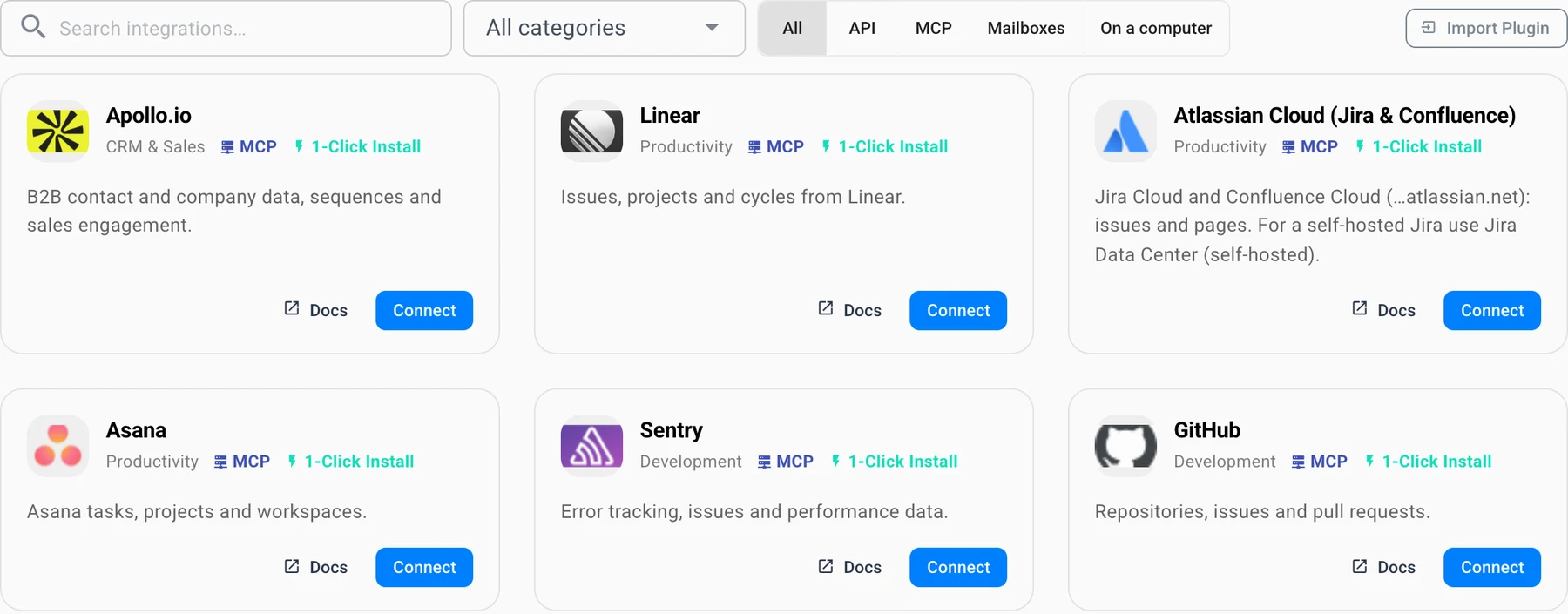
The integration selection in Teamo AI. Available services depend on your setup.
What the connection supports
These functions are declared in the plugin definitions. They apply to the respective connection; for Microsoft 365, to the full suite. What you can use also depends on your account, permissions and organization’s settings.
- Read mailboxes, folders and messages
- Create and revise drafts
- Send drafts and move messages
E-Mail · IMAP/SMTP
- Writing style
- Mailbox
- Sending
- Read data
- Create and change data
Your access rights still apply
Teamo AI uses the connected account and the data shared with it. Personal connections and shared accounts depend on the service’s capabilities and your team settings. Changes and sending actions are subject to the applicable approvals.
Questions about IMAP & SMTP and Teamo AI
What can Teamo AI do with IMAP & SMTP?
Read messages and prepare replies with Teamo AI over an IMAP/SMTP connection using a supported, reachable email account. Read mailboxes, folders and messages. Create and revise drafts. Send drafts and move messages.
What do I need to connect?
Enable the integration: An admin enables the integration for your team in Teamo AI. Select E-Mail · IMAP/SMTP: Open your integrations in Teamo AI and choose E-Mail · IMAP/SMTP. Finish setup: Follow the setup dialog for your account or device and check the connection.
What are the limitations?
The mail server must be reachable through the supported connection method. Setup, authentication and sending depend on your provider and IT policies.
Is the integration included in the price?
Usage depends on your Teamo AI plan and the connected service. The provider may charge separate license or API fees. Check the current terms before connecting.
Can I connect IMAP & SMTP to ChatGPT or Claude?
This page describes connecting IMAP & SMTP to Teamo AI. Setting up Teamo AI does not automatically connect your account to the ChatGPT or Claude app. Those apps have their own available connections, account permissions and plans. To work with IMAP & SMTP inside Teamo AI, use the integration described here.
Can I use Claude or GPT models with IMAP & SMTP in Teamo AI?
Teamo AI supports models from providers including Anthropic (Claude) and OpenAI (GPT). The models you can select for working with IMAP & SMTP depend on your plan, company configuration and available model capabilities. The connected account and its permissions still determine access. A ChatGPT or Claude subscription is not transferred.
Content reviewed on
Templates that run on IMAP & SMTP
Set these templates up in Teamo AI with your IMAP & SMTP connection.
Agent
All templatesInbox briefing
Important emails. Open questions. Your next step.
View template →AgentCustomer support reply drafts
Prepare grounded replies and flag cases needing human attention.
View template →Explore more integrations
 Email & messaging
Gmail
Find important emails, summarize conversations and prepare replies with Teamo AI using your Gmail inbox.
Explore integration → Calendars
Google Calendar
Ask Teamo AI to find Google Calendar events, create entries and prepare changes across the calendars you can access.
Explore integration → Collaboration & productivity
Microsoft 365
Work with Teamo AI across Outlook, calendars, Microsoft Teams, OneDrive and SharePoint, using the information your Microsoft account can access.
Explore integration →Bring your tools together with Teamo AI.
Start with a specific use case and the data you choose to share.