




Employee Survey Guide: Questions, Templates & 7 Steps [2026]
How to run an employee survey that drives change: survey types compared, 40+ questions, 7-step rollout plan, GDPR checklist and free tools to start today.

Build your own survey from scratch with any questions you need. Choose from 5 question types: LIKERT scale, free text, rating, single choice, and multiple choice. Set anonymity preferences, send to your team, and let AI analyze the results with theme detection and actionable recommendations.
Create Your Survey Free
LIKERT scale (agree/disagree on 5-point scale), Free text (open-ended written responses), Rating (numeric score), Single choice (one option from a list), Multiple choice (multiple options from a list). Mix and match in any combination within one survey.
Choose per survey whether responses are anonymous (no one can trace answers to individuals) or named (allows individual follow-up). Anonymous surveys get more honest answers. Named surveys enable targeted action. You decide based on your use case.
AI reads all open-text responses and groups them into themes using sentiment analysis. If 15 people mention 'meetings,' AI creates a 'meeting overload' theme with frequency and sentiment. More actionable than reading individual responses because it reveals patterns across all participants.

I've analyzed the results and summarized the key themes — with actionable recommendations for your team.
A custom survey builder lets you create your own survey with exactly the questions you need, instead of being limited to fixed templates. You define the questions, choose the format (LIKERT scale, free text, rating, single or multiple choice), organize them into sections, and decide whether responses are anonymous or named.
Unlike our specialized templates (engagement, wellbeing, 360 feedback, etc.) which come with pre-defined research-backed questions, this tool is a blank canvas. Use it for any feedback need that does not fit a standard template: project feedback, meeting evaluations, brainstorming input, decision polls, team retrospectives, or any custom topic. AI analyzes whatever you create, grouping open-text responses into themes and tracking scores over time if you run the survey repeatedly.
Start using this template for free
No restrictions. Write any questions you need, choose from 5 response formats, organize into sections. From a 2-question quick poll to a 50-question deep survey. One tool that adapts to every feedback need your team has.
5 question types: LIKERT, free text, rating, single choice, multiple choice. Mix freely in one survey.

AI does not need pre-defined questions to work. It scores LIKERT dimensions, groups open-text responses into themes, detects sentiment patterns, and generates actionable recommendations from any survey structure you build.
For recurring surveys, AI tracks trends over time and shows whether changes are improving scores.

Choose anonymous or named per survey. Results available instantly after the survey closes. GDPR-compliant with no personal data stored for anonymous surveys. Share the link via email, Slack, Teams, or any channel.
Anonymous surveys get 20% higher participation and significantly more honest responses.
This tool adapts to any survey need. Here are common use cases, but the only limit is your imagination. Mix question types freely within one survey.
Team Retrospective: What went well? What should we improve? What should we stop doing?
Classic retrospective format using 3 open-text questions. AI groups answers into themes across all team members. Run after sprints, projects, or quarterly for continuous improvement.
Decision Poll: Which option do you prefer? (Single Choice + open text for reasoning)
Quick decision support using single choice for the vote and optional free text for reasoning. AI summarizes the arguments for each option. Perfect for async team decisions.
Meeting Feedback: Rate usefulness, preparation, time management (LIKERT) + improvement suggestions (text)
Mix LIKERT ratings for structured dimensions with open text for qualitative feedback. Send after recurring meetings to track improvement over time. AI compares scores across meeting types.
Brainstorm Input: What ideas do you have for [topic]? Rate each idea (multiple choice + rating)
Collect ideas asynchronously before a brainstorm session. Participants submit ideas as free text, then rate each other's ideas. AI clusters similar ideas and ranks by team preference. Better preparation, better meetings.
Anything Custom: Your questions, your format, your audience, your schedule.
The tool is a blank canvas. LIKERT scales, open text, ratings, single choice, multiple choice. Anonymous or named. 2 questions or 50. One-time or recurring. AI analyzes whatever you create.
Add questions in any format: LIKERT, free text, rating, single choice, multiple choice. Organize into sections. Set anonymity preferences. Preview before sending.
Share the survey link via email, Slack, Teams, or any channel. Track participation in real-time. Send reminders to non-respondents if using named mode.
AI scores LIKERT dimensions, groups free-text responses into themes, detects sentiment patterns, and generates specific action recommendations. For recurring surveys, AI tracks trends and shows whether your actions improved scores.
Your free access to templates, survey tools, and results with ways to export anywhere.
Get Started Free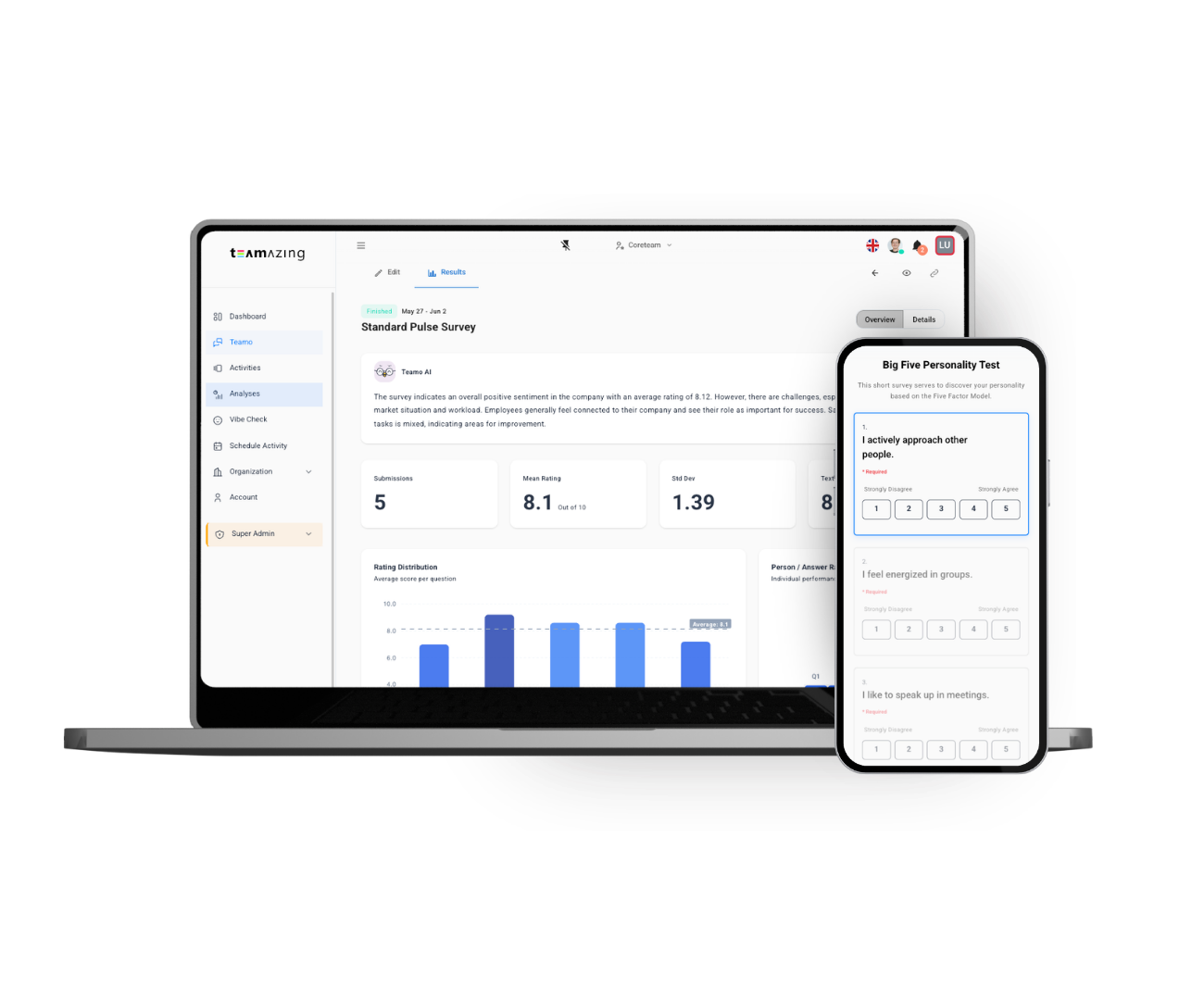
Teamo AI works with any survey structure you create. It scores quantitative questions, clusters qualitative responses into themes, detects sentiment patterns, and generates actionable recommendations. The AI learns from your specific question context, not generic models.
Add questions in any format: LIKERT, free text, rating, single choice, multiple choice. Organize into sections. No limits on number of questions.
Share the link. Participants complete the survey on any device. Anonymous or named, you decide. GDPR-compliant.
AI analyzes all responses: scores, themes, sentiment, and actionable recommendations. For recurring surveys, track trends over time.
Find the right survey template for your team
Dive deeper with these guides
![Employee Survey Guide: Questions, Templates & 7 Steps [2026]](https://www.teamazing.com/wp-content/uploads/2026/08/employee-survey-guide.jpg)
How to run an employee survey that drives change: survey types compared, 40+ questions, 7-step rollout plan, GDPR checklist and free tools to start today.
![NPS Survey: Create, Calculate and Actually Learn Something [2026]](https://www.teamazing.com/wp-content/uploads/2026/07/nps-survey-feedback-tool.jpg)
How to create an NPS survey: the exact question, the formula, when to send it, what a good score is — and why the follow-up question matters more than the number.
![Anonymous Employee Survey: Real vs. Fake Anonymity, Works Council Rules [2026]](https://www.teamazing.com/wp-content/uploads/2026/08/anonymous-employee-survey.jpg)
Anonymous employee survey done right: technical anonymity, minimum group size n ≥ 5, anonymous vs. named surveys, works council rules for Austria and Germany, free tool.
Create your Custom Survey Builder: Create Your Own Survey in minutes — free with AI-powered analysis.
Use This Template Free